
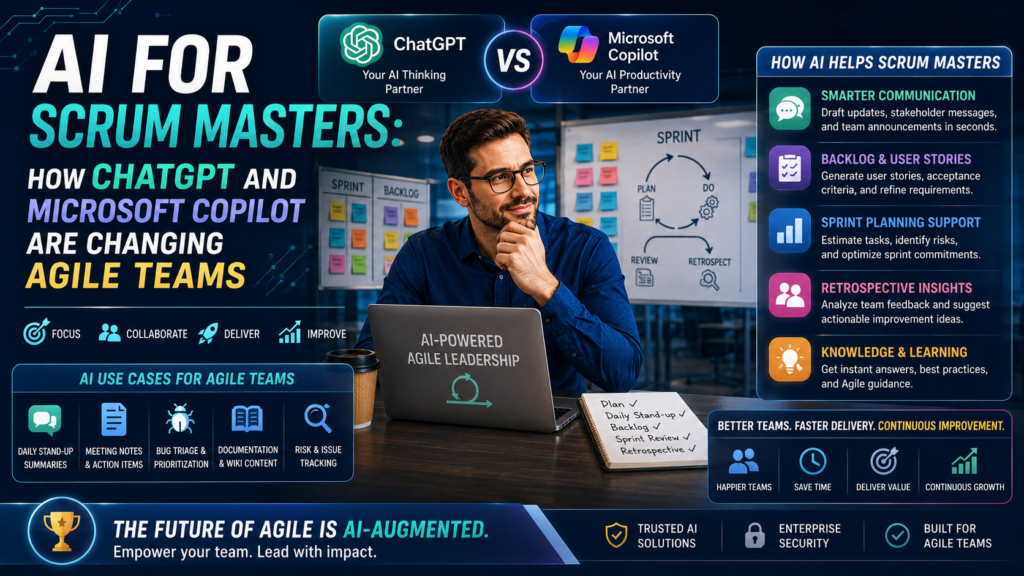

AI for Scrum Masters is changing the role by reducing administrative effort and accelerating preparation, analysis and follow-up. ChatGPT can help a Scrum Master brainstorm facilitation plans, rewrite unclear user stories, generate retrospective questions and turn anonymised notes into useful summaries. Microsoft Copilot can work inside the Microsoft 365 environment to help with Teams meeting recaps, action items, chats, documents and presentations, subject to licences, permissions and organisational settings.
The important shift is not from human Scrum Master to automated Scrum Master. The shift is from manual coordination to AI-assisted facilitation. A skilled practitioner still protects psychological safety, reads the room, challenges unhelpful behaviour, coaches self-management and helps the organisation remove systemic impediments. AI can prepare the map, but the Scrum Master still needs to guide the journey.
Responsible-use note: Never paste confidential customer information, employee performance details, credentials, source code, regulated data or sensitive retrospective comments into an AI tool unless the organisation has approved the tool, configuration and use case. Validate every output before acting on it.
Why AI Is Becoming Part of Agile Delivery
Agile teams produce a steady stream of information: backlog items, meeting notes, decisions, risks, dependencies, feedback and measures. Scrum Masters often spend valuable time cleaning up this information rather than facilitating improvement. Generative AI is useful because it can summarise, classify, compare, draft and reframe language quickly. These abilities fit many support activities around Scrum, provided the team does not confuse generated text with truth.
- Less administration: Draft agendas, summaries, follow-up messages and workshop structures in minutes.
- Better preparation: Create questions for sprint planning, reviews, retrospectives and stakeholder conversations.
- Faster sense-making: Group anonymised feedback into themes and identify questions that deserve human investigation.
- More accessible communication: Rewrite complex or technical language for executives, customers or distributed team members.
- Consistent follow-through: Convert approved decisions into concise actions with owners, dates and success measures.
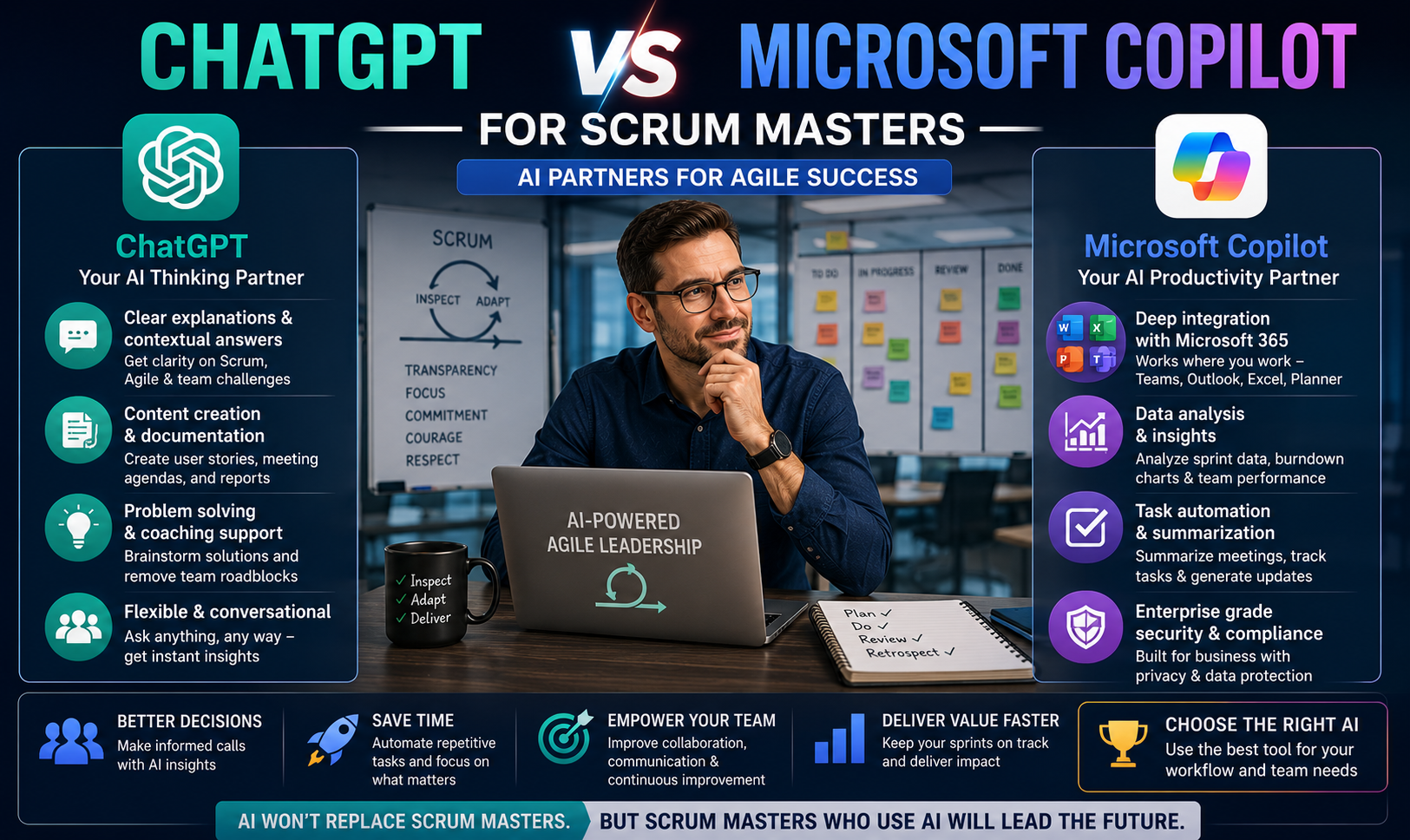
ChatGPT vs Microsoft Copilot for Scrum Masters
| Area | ChatGPT | Microsoft Copilot | Scrum Master decision |
| Best use | Flexible ideation, drafting, coaching questions and analysis of approved content. | Work connected to Microsoft 365 apps, meetings, chats, files and organisational permissions. | Choose the environment approved for the information and task. |
| Meeting support | Useful when approved notes or transcripts are supplied manually. | Can assist with Teams meeting discussion, recap and follow-up where features and policies allow. | Set consent, transcription and retention expectations before the event. |
| Context | Depends on the context included in the conversation or enabled workspace. | Can use permitted Microsoft Graph context and content available to the user. | More context can improve relevance but also increases governance importance. |
| Output risk | Can confidently produce incorrect assumptions or invented details. | Can also produce incomplete or inaccurate summaries and recommendations. | Check against source material and ask the team to confirm. |
| Human role | Supports thinking and writing. | Supports work inside collaboration tools. | Neither tool should make people decisions or replace facilitation. |
Microsoft currently uses the Microsoft Copilot name across the product family, although some interfaces and documentation may continue to display Microsoft 365 Copilot during the transition. Feature availability depends on licensing, administration, meeting settings and organisational policy.
12 Practical Ways Scrum Masters Can Use AI
1. Prepare a focused Daily Scrum
Ask AI to turn a long list of blockers into neutral prompts that help Developers plan the next 24 hours. Do not use AI to create a status report for management or turn the event into individual reporting.
2. Improve sprint planning preparation
Summarise approved backlog information, identify unclear acceptance criteria and generate questions about value, dependencies, risk and capacity. The Product Owner and Developers remain accountable for decisions.
3. Draft retrospective formats
Generate a 45-minute retrospective plan for a tired team, a newly formed team or a team facing repeated carry-over. Specify group size, remote or in-person format and the outcome required.
4. Cluster retrospective feedback
Use anonymised and approved comments to suggest themes such as workflow, quality, decision latency or dependencies. Present the themes as hypotheses and let the team correct them.
5. Create better coaching questions
Ask for open questions that encourage reflection without leading the person toward a predetermined answer.
6. Summarise meeting outcomes
Microsoft Copilot in Teams can help users catch up on discussion points and suggested actions when the required meeting options and access are available. The team should verify owners and commitments.
7. Rewrite user stories
Use ChatGPT or Copilot to improve clarity, split broad items or draft examples. AI should not decide product value or replace customer discovery.
8. Prepare stakeholder updates
Convert technical progress into a short, evidence-based update with outcomes, risks and decisions required. Remove unsupported claims and avoid vanity metrics.
9. Design workshops
Draft timeboxes, instructions, breakout questions and debrief prompts for discovery, team agreements, dependency mapping or definition-of-done workshops.
10. Analyse impediment patterns
Classify a safe, anonymised impediment log and identify recurring categories. Confirm root causes through observation and conversation before recommending action.
11. Support distributed teams
Create plain-language summaries, asynchronous check-in prompts and decision records that help teams across Australian cities and time zones stay aligned.
12. Build a learning plan
Compare a practitioner’s current skills with a Scrum Master capability list and propose deliberate practice in facilitation, coaching, conflict navigation, metrics and AI literacy.
AI Prompts for Scrum Masters
A useful prompt supplies role, context, constraints, source material and output format. Replace bracketed text and remove sensitive information before use.
Sprint planning
Prompt: Act as an Agile facilitation assistant. Using only the approved backlog details below, list unanswered questions about value, scope, dependencies, risk and acceptance. Do not estimate or prioritise. Present a two-column table with “question” and “who can answer”.
Retrospective
Prompt: Design a 60-minute retrospective for [number] participants who are experiencing [neutral, non-personal challenge]. Include purpose, timeboxes, facilitator script, inclusive participation method and one measurable follow-up experiment.
Impediment analysis
Prompt: Classify this anonymised impediment log into themes. For each theme, show frequency, possible system questions and evidence still needed. Do not assign blame or infer motivation.
User story refinement
Prompt: Review this user story for ambiguity, hidden dependencies, testability and customer value. Suggest questions and smaller slices. Do not invent requirements.
Stakeholder update
Prompt: Rewrite the approved sprint notes as a 150-word stakeholder update. Separate delivered outcomes, risks, decisions needed and next steps. Keep uncertainty explicit.
Coaching preparation
Prompt: Generate ten open, non-leading coaching questions for a Scrum Master helping a team examine [situation]. Avoid advice, diagnosis and judgement.
Meeting recap validation
Prompt: Compare the AI-generated recap with the approved transcript. Flag unsupported statements, missing decisions, unclear owners and inconsistent dates. Do not add facts.
What AI Should Not Do in Scrum
- Replace team decisions: AI cannot own the Sprint Goal, Product Backlog ordering, quality decisions or commitment to work.
- Score individual performance: Velocity, ticket counts, speaking time and sentiment guesses are unsafe proxies for contribution and can damage trust.
- Read emotions from text: Generated sentiment labels can be wrong, culturally biased and inappropriate for employment decisions.
- Run a retrospective unattended: A retrospective requires trust, judgement, adaptation and careful handling of tension. A chatbot cannot guarantee safety.
- Invent evidence: AI may generate plausible but false details. Never treat a confident answer as a verified fact.
- Expose sensitive information: The convenience of a prompt does not override privacy, confidentiality, contractual or regulatory obligations.
A Safe AI Workflow for Agile Teams
- Define the purpose: Write one sentence describing the decision or outcome the AI output will support.
- Classify the data: Check whether content is public, internal, confidential, personal, regulated or restricted.
- Use an approved tool: Follow organisational policy, licensing, access controls, retention settings and meeting configuration.
- Minimise the input: Provide only the information necessary. Remove names, customer identifiers, credentials and sensitive commentary.
- Constrain the prompt: Tell the tool to use only supplied evidence, state uncertainty and avoid invention.
- Verify the output: Compare summaries with source material. Confirm actions, dates and owners with participants.
- Keep human accountability: A named person remains responsible for the final message, decision or change.
- Inspect the impact: Ask whether the AI use improved clarity and flow or created more review work, risk or disengagement.
How AI Changes Scrum Ceremonies Without Breaking Scrum
Sprint Planning
AI can prepare questions and reveal missing information. The Scrum Team still creates the Sprint Goal and plan through collaboration.
Daily Scrum
AI may organise blocker notes, but the event remains for Developers to inspect progress and adapt the plan.
Sprint Review
AI can draft a summary, organise feedback and prepare stakeholder questions. The review remains a working session about outcomes and adaptation, not a generated presentation.
Sprint Retrospective
AI can propose activities and group anonymised feedback. The Scrum Master must protect safety, notice interaction patterns and help the team choose a realistic improvement.
Backlog Refinement
AI can suggest splits, examples and ambiguity checks. Product value, ordering and acceptance still require informed human judgement.
AI for Scrum Masters in Australian Cities
- Sydney: Large finance, technology and professional-services teams may use Microsoft 365 extensively, making Copilot governance and meeting practices particularly relevant.
- Melbourne: Product, health, education and enterprise transformation teams can use AI to support distributed planning, facilitation and stakeholder communication.
- Brisbane: Growing digital, government, utilities and services teams can benefit from practical AI-assisted delivery without losing focus on team capability.
- Perth: Distributed resources and enterprise teams may use AI summaries and asynchronous communication to reduce coordination friction across locations.
- Adelaide: Defence, government and technology environments make information classification, approved tools and careful data handling especially important.
- Canberra: Public-sector and supplier teams should treat security, retention, permissions and procurement requirements as part of the AI workflow, not an afterthought.
View Scrum Master training locations across Australia
Do Scrum Masters Still Need Certification in the AI Era?
AI literacy does not replace Scrum knowledge. In fact, faster content generation increases the need for practitioners who understand accountabilities, empiricism, facilitation and continuous improvement. Without that foundation, teams can use AI to produce more meetings, more documents and more false certainty rather than better outcomes.
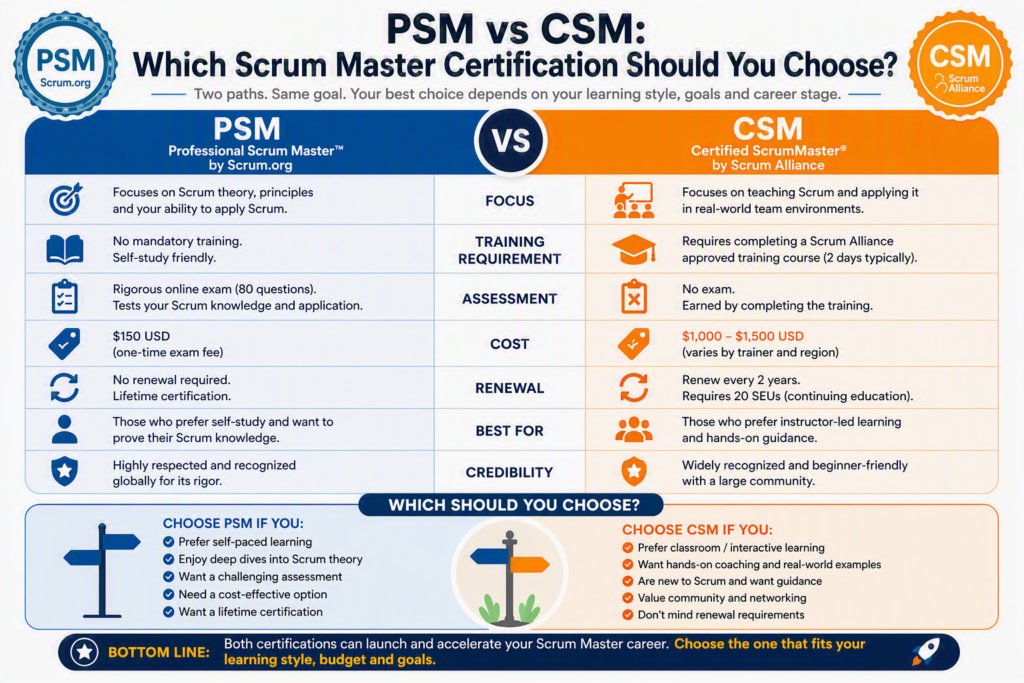
A structured Scrum Master course can help professionals distinguish useful assistance from anti-patterns. Training should develop practical facilitation, sprint planning, backlog collaboration, servant leadership, coaching and team improvement skills. AI can then be added as a tool inside a sound professional practice.
Recommended internal course links: Scrum Master courses | iSQI Scrum Master Pro Certification | Frequently asked questions
Frequently Asked Questions About AI for Scrum Masters
Can ChatGPT replace a Scrum Master?
No. ChatGPT can generate drafts, questions and summaries, but it cannot build trust, interpret complex organisational dynamics, coach responsibly or take accountability for change.
How can Scrum Masters use Microsoft Copilot?
Depending on licensing and policy, Microsoft Copilot can assist with Teams discussions and recaps, chats, documents, presentations and approved organisational content that the user is permitted to access.
What are the best ChatGPT prompts for Scrum Masters?
The best prompts specify the event, team context, desired outcome, constraints and format. They also instruct the tool not to invent facts, prioritise work or assign blame.
Is AI safe for sprint retrospectives?
AI can support format design or analysis of properly approved, anonymised input. Sensitive comments should not be uploaded casually, and AI should not label emotions, judge individuals or run the conversation unattended.
Will AI reduce the number of Agile meetings?
AI may shorten preparation and follow-up, but meeting volume only improves when teams clarify purpose, attendees and decisions. Automating a low-value meeting does not make the meeting valuable.
Can AI write user stories?
AI can help draft, split and review stories, but the Product Owner and team must verify customer value, requirements, risks and acceptance criteria.
Which is better for Agile teams, ChatGPT or Microsoft Copilot?
The better choice depends on the task, approved environment, data sensitivity, collaboration stack and governance. Many organisations may use different tools for different classes of work.
Where can I study Scrum Master certification in Australia?
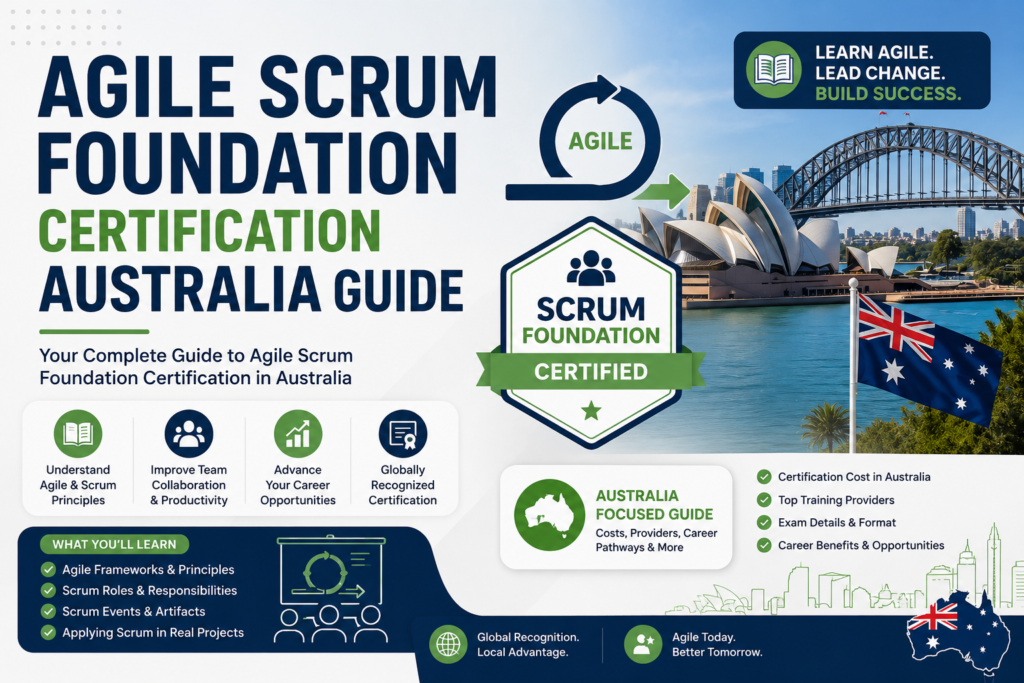
Training is available through Scrum Master Certification Australia across Sydney, Melbourne, Brisbane, Perth, Adelaide and Canberra, with additional online options listed on the website.
Final Takeaway
AI for Scrum Masters is most valuable when it creates more time for human work. ChatGPT and Microsoft Copilot can accelerate preparation, summarisation, drafting and pattern finding, but the Scrum Master remains responsible for facilitation quality, ethical judgement and continuous improvement. The winning Agile teams will not be the teams that generate the most content. The winning teams will use AI selectively, verify outputs and keep decisions close to the people doing the work.
Ready to strengthen your Agile leadership skills? Compare Scrum Master certification courses and request information